Make Ranks Design 2 countdown video template
D7 in the editor’s list
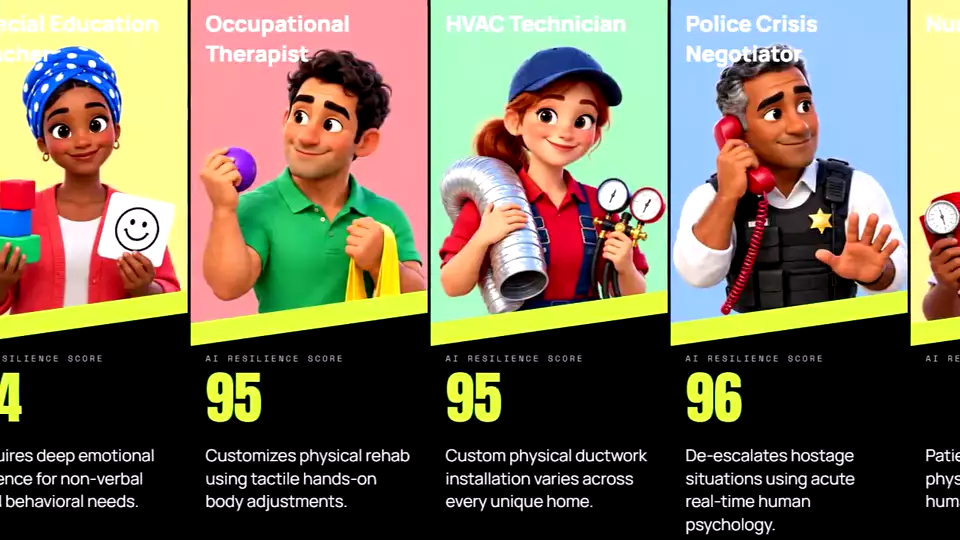
A real export from the editor, made with this design.
The picture over a lime slash, a big lime figure with its unit, then the name and the description.
It suits rankings that need a line or two about each entry: facts, history, specs.
How to make a countdown video with it
- Load a ranking from the Data Library, or paste your own table: every row becomes a card.
- Pick Make Ranks Design 2, then change any text, colour or box on the card in Card design.
- Check the preview and export an MP4: 16:9 for YouTube, or vertical 9:16 for Shorts, Reels and TikTok.
Rankings to try it with
- GTA Map Sizes Compared: Every GTA Game
- Every Call of Duty Game Ranked
- Every Pokémon Game Ranked by Sales
- Most Realistic AI Video Generators (Free & Paid)
- Most Realistic AI Image Generators Ranked
- Most Impressive AI Music Generators